It can be tempting to let employees use their personal computers for work. On the surface, it sounds convenient and cost effective, especially with the rise of remote and hybrid work. But the truth is personal devices introduce significant risk, especially for organizations that handle sensitive information or operate in regulated industries such as healthcare.
From security gaps to operational inefficiencies, personal PCs create problems that can far outweigh any short-term convenience.
Consider these critical risks before allowing personal devices in the workplace:
1. Security Risks from Unmanaged Devices
Personal PCs operate outside IT oversight. Because they’re unmanaged environments, there’s no guarantee they meet even the minimum-security standards needed to protect corporate systems.
Most personal devices:
- Lack enterprise grade antivirus and endpoint protection
- Connect from unsecured or untrusted networks
- Miss critical operating system and software updates
- Have no centralized monitoring or threat detection
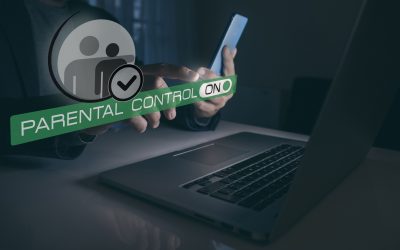
- Are frequently shared with family members and children, increasing risk of unintended access to sensitive data
A single compromised personal device can become an entry point for malware, credential theft, ransomware, or unauthorized access to company resources. As cyberattacks grow more sophisticated, unmanaged personal devices continue to be one of the weakest and most easily exploited points in a company’s defense.
2. Compliance & Legal Liability: Especially in Regulated Industries
Regulated industries require strict oversight of how sensitive information is accessed, stored, and transmitted. Personal PCs make it nearly impossible for organizations to maintain compliance under frameworks such as HIPAA, PCI‑DSS, GDPR, and SOX.
Personal devices can’t:
- Ensure data is handled according to required compliance standards
- Maintain required audit trails of who accesses sensitive information and when
- Confirm required secure storage practices
- Remotely wipe or secure lost and/or compromised devices
Any incident involving a personal PC still places full regulatory and legal responsibility on the organization. The results can be fines, investigations, reporting obligations, and long-term damage to customer trust. It’s simply not worth the risk!
3. Loss of Data Control and Visibility
When employees work from personal devices, the organization loses visibility into where its data lives. Sensitive information may be stored on local drives, synced to personal cloud accounts, emailed through non‑secure channels, or mixed with personal files.
This creates risks such as:
- Permanent data loss
- Unintentional or unauthorized data sharing
- Inability to retrieve information during audits, legal holds, or client offboarding
When an employee leaves, the company has no way to reclaim or remotely wipe corporate data that may still reside on their device, leaving that information vulnerable to misuse.
4. Operational Inefficiencies and Support Challenges
Personal PCs introduce a chaotic mix of hardware specs, unsupported operating systems, outdated software versions, and conflicting applications. IT teams spend significantly more time troubleshooting issues because each device behaves differently.
This lack of standardization increases downtime, slows resolution times, and reduces overall productivity. Personal devices also lack enterprise‑grade backup and recovery tools, meaning a single failure can destroy critical business data.
Conclusion
Allowing personal PCs may seem like a convenient shortcut, but the long-term risks outweigh the benefits. Security vulnerabilities, compliance gaps, loss of data control, operational inefficiencies, and offboarding risks all make personal devices a significant threat to any organization.
A standardized, IT managed device policy ensures stronger protection, better performance, and a safer, more reliable environment for your entire team.
If you’re ready to strengthen your security and standardize your IT environment, Securus Systems has the expertise to help you get there.
Stay safe, stay Securus!